

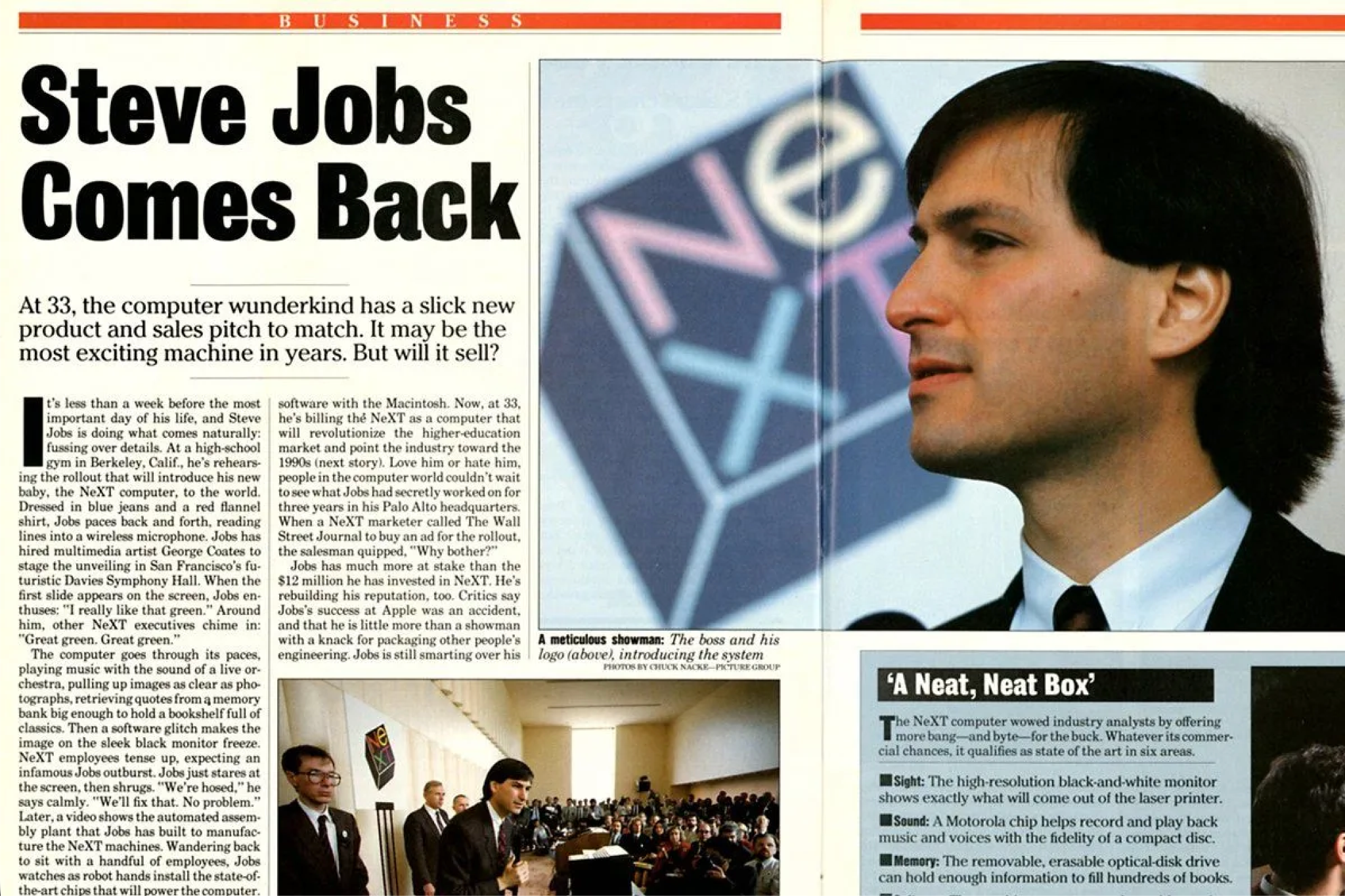
Well, the types of computers we have today are tools. They’re responders: you ask a computer to do something and it will do it. The next stage is going to be computers as “agents.” In other words, it will be as if there’s a little person inside that box who starts to anticipate what you want. Rather than help you, it will start to guide you through large amounts of information. It will almost be like you have a little friend inside that box. I think the computer as an agent will start to mature in the late ‘80s, early ‘90s. - Steve Jobs
When OpenClaw blew up in late January of this year, half of my timeline was busy wiring a spare Mac to a router and calling it the future. Within a couple of months, the novelty wore off, and most of the fanatics had moved on, filing it under the Mac Mini craze and random demo videos that never made it to production.
It was a craze. It was also the only part of the hype that was real.
It’s June 30th, 2026. The hype has cooled. Computers have slowly become things to delegate to instead of operate. We know that agents can run a machine on their own. The open question is where that machine should live, and who owns it.
Let’s unpack what’s changing.
Way Back in 2025

I’m writing this on June 30th, 2026. On June 30th, 2025, the agentic space was quite different. Fewer people were running Claude through tmux or a VPS, and agentic coding, if it was happening at all, was siloed to personal computers you had on your person. Maybe you had a Lovable or Bolt subscription, and maybe you were tinkering with Ollama locally on your Mac.
When people think of ‘running a server’ at home, pretty dorky stuff comes to mind, like:
Cron jobs and scheduled scripts — backups, scrapers, automations that run on a timer
A media server (Plex/Jellyfin), file/NAS storage, a personal cloud
Self-hosted web apps and dev environments — a database, a staging server, a side project running 24/7
Pi-hole, a VPN endpoint, home automation
These are all really cool, and I’ve personally been hosting a Plex server for over a decade. The benefits of having a private, streamable media server are super fun and I can’t see myself stopping. Hosting a personal cloud is also beneficial (and potentially cost-saving) for numerous reasons. And, hosting home automation is another rabbit hole to fall into.
All of these things have one thing in common: they aren’t common.
Most people don’t want to do this. If I happened to mention my Plex server at a party or gathering (sorry guys), most people’s eyes would glaze over. Intrigued, maybe, but not intrigued enough to set one up. Running home automation through a Pi is the same deal, interesting but relegated to the nerds.
The shift is clearly happening now. Today, it makes more sense than ever for just about everyone to have one or multiple always-on personal computers at home, wired up. I’m not talking about a Linux rackmount computer – your M1 Macbook Air that is gathering dust in a closet is who we’re focused on.
So what changed? AI computer use.
The At-Home Agentic Stack

On September 5th, 2023, the project Open Interpreter went viral. The release video was simple: agentic computer usage is the future, and we’re the solution that allows you to automate computer usage tasks via the terminal. Anything you can click, Open Interpreter can.
At the time, the idea was super intriguing but largely experimental. I didn’t know anyone who personally installed it, and I certainly wasn’t going to give root level access to something I didn’t understand. Ultimately, I understood the appeal, but I didn’t use it.
So much has changed since then. Claude and Codex have respectively evolved into ecosystems with countless plugins, extensions, and tool-use. As this space has evolved, it has become increasingly obvious that increased autonomy for agentic systems required real computer use. We saw the Mac Mini craze happen earlier this year when OpenClaw got popular, and in many ways it hasn’t really slowed down. Claude and Codex have increased in capability substantially, and many of the workarounds we dealt with back in March are already a thing of the past.
Having an always-on personal computer at home, wired up, is distinctly different from your daily driver. The laptop you take to the cafe is not the machine at home, but their capabilities and what you can get done between them is evolving into an increasingly seamless experience.
The Always-On Computer Assistant
We’ve had chatbots with tool-usage in our pockets for a while now, and that isn’t changing. But having an on-the-go connection with a personal computer unlocks capabilities that previously were simply not possible or were a pain in the butt.
Some of these capabilities include:
Kicking off long jobs from anywhere. Refactor a repo, scrape data, organize research, and do real work on real hardware while you’re on the go. You can close your laptop or phone at any time and it keeps going.
Real computer usage. Nothing is sandboxed. The agentic software can play around on your machine with the tools you regularly use. It isn’t a stripped down container. Set it up smart and watch it go.
Run things you’d never run on a phone. Run beefier processes your cafe laptop can’t handle. It’s your home server, you can make it however you want.
Real work can be handled on the go. If something major breaks, a capable machine is there. You can get real work done and leave the house with your phone (or maybe your iPad).
One machine, many views. Remote into your everpresent Mac or Windows instance from anything. Use your iPad. Use your phone. Use another computer. Let this machine work on tasks that would normally bog down your primary laptop.
Let the goose loose. Claude and Codex can be set up to run on a schedule, build real software, and perform actions that even a year ago would have made my stomach turn.
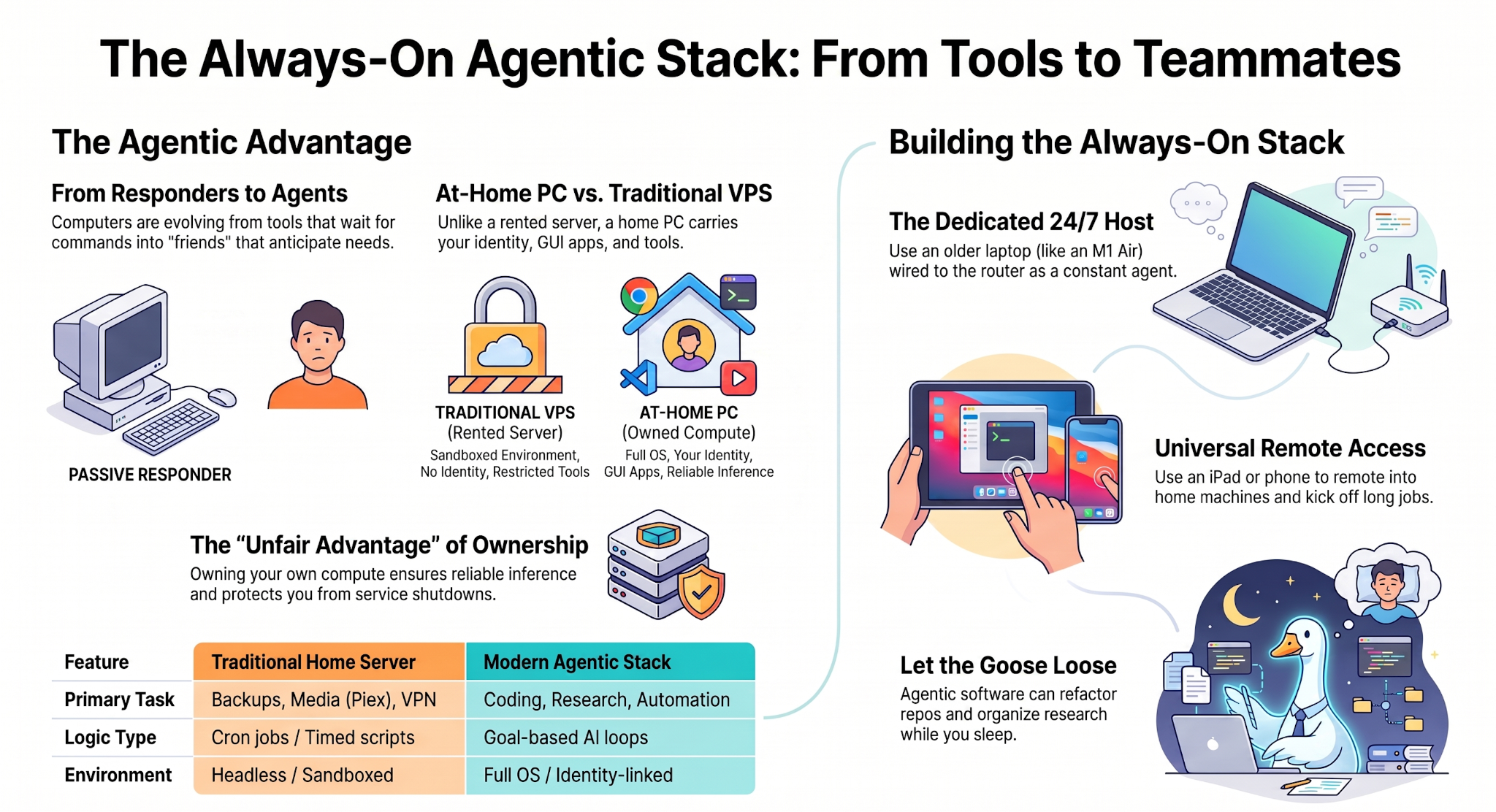
Some readers might think I’m simply describing a server, but there are many reasons why this change is separate and distinct from a VPS, or something we would commonly associate with running a server at home.
These differences are:
It’s not a headless utility. A VPS is a bare box you provision to run services. This is your environment, set up for the way you work. If you’re a dev, it’s set up to be a dev. If you work in marketing, you’ve got every tool available 24/7 at your (or your agents’) fingertips.
This is open-ended. Servers tend to do one job you configure them to do. This does whatever you want. This is the difference between a cron job and a coworker.
It carries your identity and access. This machine is already as close to being ‘you’ as you desire. It isn’t a VPS you’re paying 10 dollars a month for from some provider.
You own the hardware. A VPS is metered, this is a machine you paid for and maintained. Sure, you have to pay for the internet, but you’re probably already paying for that anyway.
It runs things rented boxes won’t. GUI apps and other tools have limited usage on VPS solutions. I love Zo Computer, but I can’t do truly unconstrained active development there.
You might read this and think: this sounds insecure! An agentic system with full-computer use access is definitely problematic. Learning about how to limit your blast radius is key. The permissions exist for a reason, and you need to think through all possible scenarios. With great power comes great responsibility.
In my opinion, the pros outweigh the cons. I’m strongly convinced that nearly all white collar workers and entrepreneurs can benefit from having at least one always-on computer. The possibilities for usage are as limitless as your imagination. If you use a computer at work, there’s something you could try out that I’m sure would get you excited.
An Example Stack
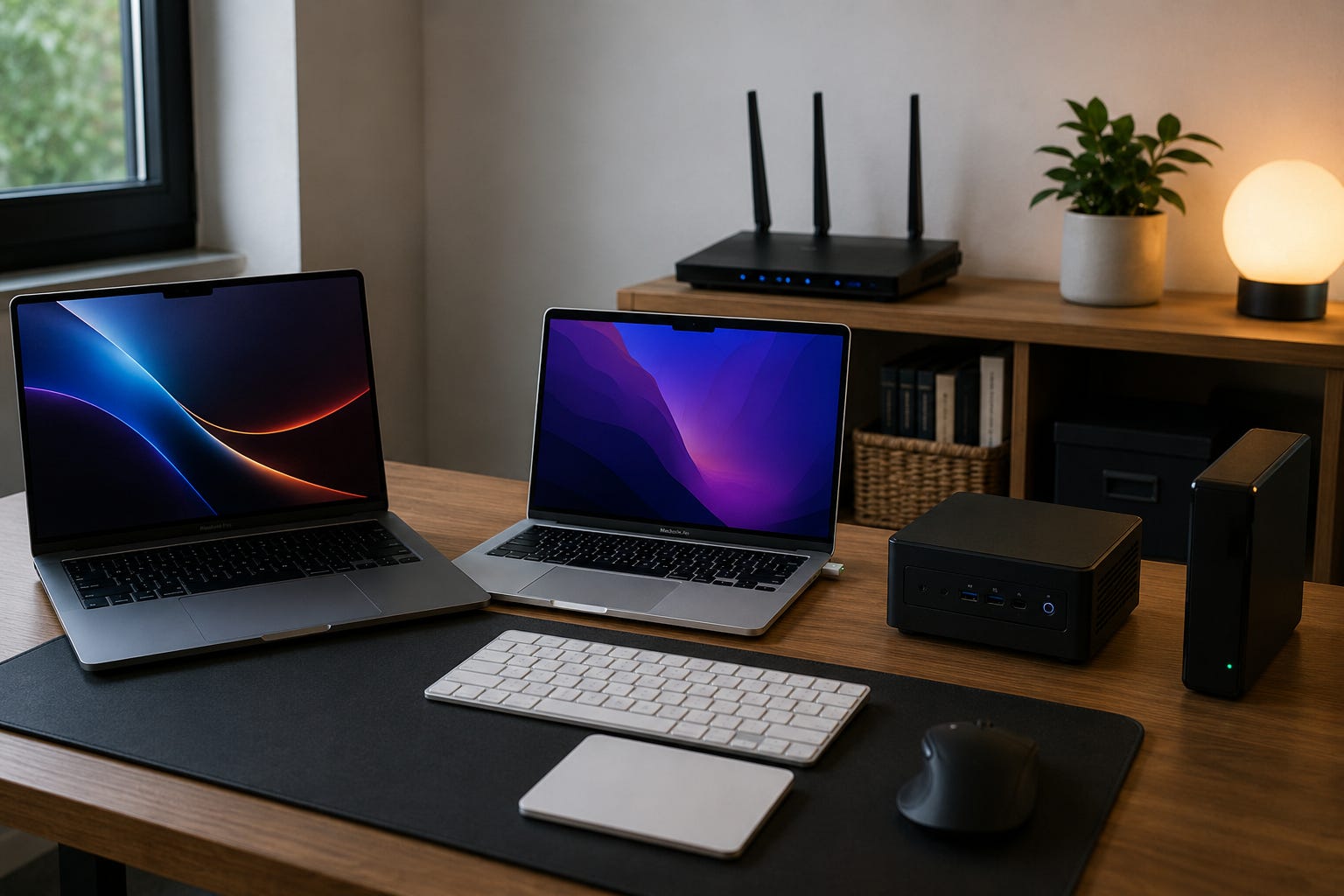
It’s one thing to talk about the benefits of a setup like this, but embracing it is another. Building up to something more elaborate takes time, and everyone’s workload looks different. A graphic designer is not going to have the same setup as a product manager, although the choice is ultimately theirs.
So, how exactly am I walking the walk?
My Setup
There is no right setup, this is just what is working for me at the moment. I already feel maxed out.
Macbook Pro
I travel with a Macbook Pro that acts as my primary computer. I use it for everyday tasks, projects, and it has enough RAM to run local LLMs to tinker around with. I rarely keep it on when I go to sleep. It’s a beast, but I usually only have it running while I’m awake.
Macbook Air
I have an older M1 Macbook Air that sits at home connected directly to the router. It stays on 24/7 and is a near replica of the working environment of Macbook Pro (MBP). If I need to check something important while I’m on the go, I often remote into this machine. Codex and Claude are both installed here, and I’ll often let it run all night to avoid keeping my MBP on. If I’m building something that requires computer use, I have this machine handle it, and remote into it via Jump to keep it rolling.
Windows Mini-PC
My slightly older Mini-PC is connected to the same router, and runs my Plex server. It also has a Linux environment installed, so I can easily have it run Codex to work on any builds if I want two things going while I’m sleeping. If Codex is set up on a goal-based loop, it will frequently launch a web browser or do what it needs to do. Claude also has scheduled jobs that run via Cowork on this machine, and get backed up to Notion automatically. All of the machines are on a Tailscale meshnet to make sharing even easier.
iPad Pro
Paired with a keyboard case, the iPad Pro is a great airplane and coffee shop machine. If I’m traveling with my MBP stowed, I’ll remote into my Macbook Air and work on it via Jump. If my MBP is running processes at the apartment while I’m out, I’ll remote into it using the iPad. The iPad can remote into everything, and I can kick things off and close it without fear of losing anything. Lastly, Claude and Codex native apps work great on the iPad. There are no limitations.
If I’m out on the go, I’ll talk directly to Codex or Claude on my phone, or have Hermes update Notion. Although the UI experience is poor, I can directly remote into any of the machines via the phone as well. Hermes has read access to almost everything I do, and chatting with him is as easy as simple voice dictation via Telegram.
Owning Compute and Inference
The decentralized AI (deAI) community has been shouting this from the rooftops for years, but it is true: owning your own compute and inference is important. Local models continue to get more capable, and a gram of RAM is worth vastly more than a gram of gold. Fable 5 reminded us that frontier companies can provide access just as easily as they can shut it down. Reliable inference is becoming increasingly important for ensuring agentic tasks have any sort of consistency at all.
Ideally, having a couple of beefy Mac Studios wired up at your house is the move. Having more than one environment for long-running development and experimental tasks frees you up physically and mentally. From heavy video processing to scheduled marketing tasks, all jobs have some level of inherent repeatability. Offloading compute from your primary device can unlock a sort of fluidity that is best experienced firsthand, not described.
Where This Heads
The spare Mac next to the router wasn’t the point. It was the first cheap answer that everyone is about to face: where does your work live, and who can switch it off?
Owning the machine, and the model running on it, is the only answer that stays yours.
Many devs on X have mentioned that they use their phone and voice dictation for 90% of all of their tasks now. This isn’t slowing down, and we may quickly go from being liberated from our desks to being liberated from our screens.
So, go take a walk. Your computer will be online waiting for you.
- Chris